
Spam emails are a daily problem for businesses and individuals alike. To reduce unwanted messages, mail servers use different filtering techniques, and email greylisting is one of them. Instead of accepting or rejecting an email immediately, greylisting temporarily delays messages from unknown senders to verify that they come from a legitimate mail server.
While this simple technique can stop a large amount of spam, it can also delay genuine emails and, in some cases, even prevent them from being delivered. That’s why it’s important to understand how greylisting works and when it should be used. In this guide, you’ll learn what is greylisting, how the grey list email process works, why mail servers use it, why legitimate emails can sometimes be delayed, how it compares to blacklisting and whitelisting, and the best practices for using greylisting effectively.
What is Email Greylisting
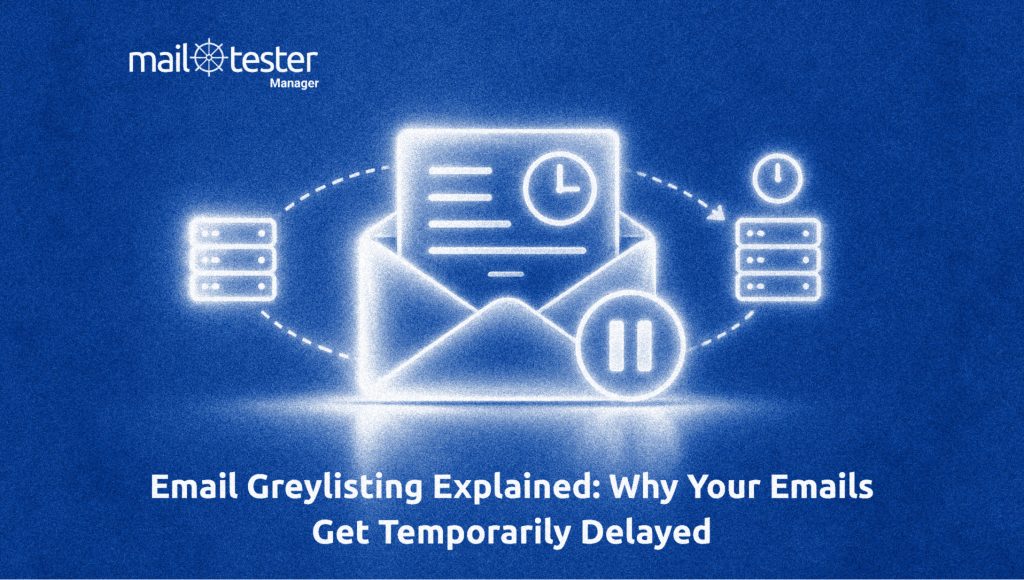
Email greylisting is an anti-spam technique that temporarily delays emails from unknown senders instead of accepting or rejecting them right away. When a mail server receives an email from a sender it has never seen before, it returns a temporary error and asks the sending server to try again later.
This short delay helps the receiving server check whether the email is coming from a legitimate mail server or a spammer. Trusted mail servers follow email standards and automatically resend the message after a few minutes. Most spam servers, however, are built to send millions of emails as quickly as possible and often do not retry delivery. As a result, many spam emails never reach the recipient’s inbox.
You can think of it as a security checkpoint; instead of letting every email through immediately, the mail server waits to see if the sender follows the correct email delivery process. This simple step can reduce spam while still allowing legitimate emails to be delivered.
How Does Email Greylisting Work
The email greylisting process follows a series of steps to determine whether an unfamiliar sender is legitimate. Instead of making an instant decision, the receiving mail server briefly delays the email and waits to see whether the sending server behaves according to standard email delivery rules. Here’s how the process works:
An Email Reaches the Receiving Server
The process begins when an email arrives at the recipient’s mail server. If the sender is already trusted, the message is delivered normally. If the sender is unfamiliar, the server starts the greylisting process to verify the sender before accepting the email.
The Server Temporarily Rejects the Email
The receiving server responds with a temporary SMTP error, usually a 4xx response code, asking the sending server to try again later. This is not a permanent rejection. The email is simply delayed until the sender makes another delivery attempt.
The Greylisting System Records the Triplet
The receiving server stores three pieces of information, commonly known as a triplet:
- The sending server’s IP address
- The sender’s email address
- The recipient’s email address
These details are used to identify the same email during the next delivery attempt.
The Sending Server Retries Delivery
A properly configured mail server automatically retries delivery after a short waiting period, which is usually between 1 and 15 minutes. This retry is handled by the mail server itself and does not require any action from the sender.
The Server Verifies the Retry and Delivers the Email
When the email is sent again, the receiving server compares the new request with the stored triplet. If the details match, the email is accepted and delivered. Many mail servers also add the sender to a whitelist after a successful retry, allowing future emails from the same sender to bypass the greylisting process.
Why Do Mail Servers Use Greylisting
Instead of relying only on content analysis or sender reputation, grey list email technique checks whether a sending mail server follows standard email delivery practices. This helps organizations block many unwanted emails while allowing legitimate messages to be delivered after verification. Here are the core reasons why they use it:
Reduces Spam Before It Reaches the Inbox
One of the biggest reasons organizations use greylisting is to stop spam at an early stage. Many spam servers are designed to send millions of emails as quickly as possible. When they receive a temporary rejection, they often move on instead of trying again. As a result, a large number of spam emails are filtered out before they ever reach the recipient’s inbox, reducing the amount of unwanted mail users have to deal with.
Verifies That the Sending Server is Legitimate
Greylisting helps confirm that an email is coming from a properly configured mail server. Legitimate email servers follow SMTP standards and automatically retry delivery after receiving a temporary error. This behavior shows that the sender is using a standard email system rather than a server built only for sending spam. By checking for this retry, mail servers can better separate trusted senders from suspicious ones.
Reduces the Load on Spam Filters
Since many spam emails are blocked during the greylisting process, fewer messages need to be analyzed by spam filters. This allows email security systems to spend more time inspecting emails that have already passed the initial check. As a result, spam filtering can become more efficient, especially for organizations that receive a high volume of incoming emails every day.
Works Alongside Other Email Security Measures
Greylisting is not meant to replace other email security technologies. Instead, it works alongside tools such as SPF, DKIM, DMARC, antivirus scanning, and content filtering to create multiple layers of protection. By adding another verification step before an email is accepted, organizations can improve their overall email security and reduce the chances of spam or malicious messages reaching users.
Why Do Legitimate Emails Fail After Greylisting
Greylisting is meant to delay an email only for a short time. However, in some cases, legitimate emails may never get delivered because of how modern email services work.
Many cloud email providers, such as AWS SES and SendGrid, send emails from large pools of shared IP addresses. When they retry sending an email after a temporary rejection, they may use a different IP address instead of the one used during the first attempt.
This can create a problem because many greylisting systems identify a sender using a triplet that includes the sending server’s IP address, the sender’s email address, and the recipient’s email address. If the IP address changes during the retry, the receiving server may treat it as a completely new email instead of recognizing it as a retry.
As a result, the email may be temporarily rejected again. If this keeps happening, the email can get stuck in a loop of repeated delays. Eventually, if the sending mail server reaches its maximum number of retry attempts, it stops trying, and the email fails to deliver completely.
Greylisting vs Blacklisting vs Whitelisting
Greylisting, blacklisting, and whitelisting are three different techniques used by mail servers to decide what to do with incoming emails. While they all help improve email security, each one works in a different way and serves a different purpose.
| Feature | Greylisting | Blacklisting | Whitelisting |
| How it works | Temporarily rejects emails from unknown senders and waits for a retry. | Blocks emails from known malicious senders, IP addresses, or domains. | Automatically allows emails from trusted senders without extra checks. |
| Main purpose | Verify that the sending mail server follows standard email delivery practices. | Stop spam, phishing, and other malicious emails from reaching users. | Make sure emails from trusted senders are delivered quickly. |
| Effect on legitimate emails | May delay the first email from a new sender by a few minutes. | Can accidentally block legitimate emails if a sender is mistakenly blacklisted. | Legitimate emails from approved senders are delivered without delay. |
| Best used for | Filtering spam from unknown senders. | Blocking known spam sources and malicious domains. | Ensuring important contacts and business partners can always reach you. |
When Should You Use Each One?
These three methods are not competitors; they work best when used together.
- Greylisting is useful for checking whether an unknown sender is using a legitimate mail server before accepting the email.
- Blacklisting is ideal for blocking senders, domains, or IP addresses that are already known to send spam or malicious emails.
- Whitelisting helps ensure that trusted senders, such as customers, vendors, or internal employees, can always deliver emails without unnecessary delays or filtering.
Most modern email systems combine all three techniques with technologies like SPF, DKIM, DMARC, antivirus scanning, and spam filtering. Using multiple layers of protection provides better email security than relying on a single method alone.
Best Practices for Using Email Greylisting
Email greylisting works best when it is carefully configured and used as part of a broader email security strategy. Simply enabling greylisting is not enough. Following a few best practices can help you reduce spam while avoiding unnecessary delays for legitimate emails.
Configure a Reasonable Retry Delay
The retry delay should be long enough to discourage spam servers but short enough that legitimate users do not notice a significant delay. Most organizations use a waiting period of 1 to 15 minutes, which gives legitimate mail servers enough time to retry delivery automatically. Setting a much longer delay can slow down important emails and create a poor user experience.
Whitelist Trusted Senders
Once a sender has successfully passed the email greylisting check, consider adding them to a whitelist. This allows future emails from the same sender to bypass the greylisting process and be delivered immediately. Whitelisting is especially useful for trusted business partners, customers, internal employees, and third-party services that send important notifications.
Combine Greylisting With Other Email Security Tools
Greylisting should be only one part of your email security strategy. For the best protection, use it together with SPF, DKIM, DMARC, spam filters, antivirus scanning, and sender reputation checks. Each technology protects against different types of email threats, and using them together creates multiple layers of defense. This approach improves security without depending too heavily on a single technique.
Monitor Delivery Logs Regularly
After enabling greylisting, review your email server logs to make sure legitimate emails are being delivered successfully. Monitoring delivery reports can help you identify trusted senders that should be whitelisted or detect services that are repeatedly delayed because of changing IP addresses. Regular monitoring also helps you fine-tune your greylisting settings over time.
Exclude Time-Sensitive Email Services When Needed
Some services send emails that users expect to receive within seconds, such as password reset links, OTPs, multi-factor authentication (MFA) codes, payment confirmations, and account verification emails. If these services are delayed by grey list emails, users may have a poor experience or be unable to access their accounts. In such cases, it is a good idea to whitelist these trusted senders or create exceptions for them.
Review Your Greylisting Policy Periodically
Email infrastructure and spam techniques continue to evolve. A greylisting policy that worked well a few years ago may not be as effective today. Review your settings regularly to make sure they still meet your organization’s security and delivery requirements. Updating your policy as your email environment changes will help you maintain the right balance between spam protection and reliable email delivery.
Should You Enable Email Greylisting?
Whether you should enable email greylisting depends on your organization’s email needs. It works well as an extra layer of protection against spam, but it may not be suitable for businesses that rely on instant email delivery for password resets, OTPs, or order confirmations.
For the best results, use greylisting alongside SPF, DKIM, DMARC, spam filtering, and malware scanning instead of relying on it alone. This layered approach offers better protection while keeping legitimate emails flowing smoothly.
Wondering if greylisting or another issue is affecting your emails? Check Your Email Deliverability with Mail-Tester to identify deliverability problems, improve your email score, and ensure your SPF, DKIM, and other email authentication settings are configured correctly.
Frequently Asked Questions
Gmail does not rely heavily on traditional email greylisting. Instead, it uses advanced spam detection systems, machine learning, sender reputation, and email authentication protocols like SPF, DKIM, and DMARC to identify unwanted emails. Some smaller email providers and private mail servers still use greylisting as part of their spam protection.
Greylisting can block some phishing emails by delaying messages from unknown senders that fail to retry delivery. However, it cannot stop all phishing attacks, especially those sent from legitimate or compromised mail servers. For stronger protection, greylisting should be combined with SPF, DKIM, DMARC, and advanced spam filtering.
No. Email greylisting only affects incoming emails on the receiving mail server. It does not change how your mail server sends outgoing emails. However, if the recipient’s mail server uses greylisting, your outgoing emails may be temporarily delayed before they are delivered.