
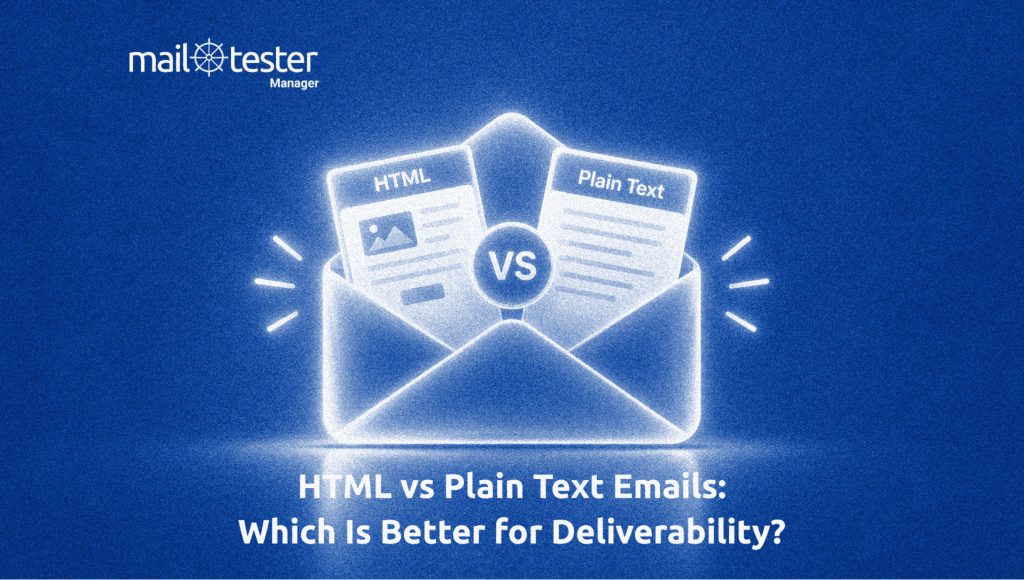
Email comes in different formats, but two of the most common are HTML and plain text. Plain text emails are simple and contain only text, while HTML emails can include images, colors, buttons, links, and other design elements. This often leads to a common question: HTML vs. plain text email, which is better for deliverability?
It is easy to assume that plain text emails have an advantage because they look simpler and more personal. At the same time, HTML emails are widely used by businesses for newsletters, marketing campaigns, and transactional messages. So, does choosing one format over the other actually affect whether your emails reach the inbox?
The answer is not as simple as choosing HTML or plain text. Deliverability depends on several factors, and your email format is only one piece of the puzzle. In this guide, we’ll compare plain text vs. HTML emails, look at how each format can affect deliverability, and explain when you should use each one.
What is an HTML Email?
An HTML email is built using HTML, the same basic language used to structure web pages. It gives you more control over how an email looks and feels.
With HTML, you can add things such as:
- Company logos and images
- Different fonts and text sizes
- Colors and backgrounds
- Buttons and clickable links
- Tables and other layout elements
- Product cards or promotional sections
For example, an online store may use an HTML email to show a product image, its price, and a “Shop Now” button. A company sending a newsletter can also use HTML to organize different articles into clear sections.
HTML emails can make information easier to scan because you can separate content visually. However, the code behind the email needs to be written carefully. Different email clients may also display the same HTML differently. Poorly written HTML can lead to broken layouts, missing images, or sections that do not look as the sender intended.
What is a Plain Text Email?
A plain text email contains only written characters. It does not use HTML formatting, images, buttons, or visual layouts. You can think of it as the simplest version of an email, allowing a subject, greeting, paragraphs, and a sign-off, but you cannot design the message with colors, banners, or other visual elements.
Plain text is often useful when the message itself is more important than its appearance. For example, a person sending a quick update to a colleague may not need any special formatting. The same can apply to simple notifications, personal messages, or direct business communication. Another useful feature is that plain text emails are easy for almost any email client to display. There is very little that can break or look different from one inbox to another.
However, plain text also gives you fewer ways to organize large amounts of information. If an email contains several sections or needs strong visual branding, plain text may feel too limited.
HTML vs Plain Text Emails: What’s the Difference?
The difference between HTML and plain text becomes more useful to understand when you look at how businesses actually send email. The format is usually chosen based on the type of message, the amount of information it contains, and the experience the sender wants to create.
| Email format | Common use cases | Main advantage |
| HTML | Newsletters, marketing emails, product updates, branded transactional emails | More control over structure and branding |
| Plain text | Personal emails, simple notifications, one-to-one communication | Simple and easy to maintain |
| Both | Marketing and transactional emails sent at scale | Gives the message a formatted and text-based version |
This is why businesses often choose HTML for marketing and transactional communication. A marketing email may need a product image, pricing information, and a clear call-to-action. Similarly, a transactional email such as an order confirmation may need to present several details in a structured way.
This is an important part of the HTML vs plain text email discussion. HTML is not used simply because it looks better. It can make business emails easier to organize and give recipients a clearer path through the information.
But does that mean an email has to be either HTML or plain text? Not necessarily.
Many email systems can send both versions of the same message. The email contains an HTML version and a plain-text version, allowing the receiving system or email client to use the appropriate version. The recipient does not need to manually choose between them.
This approach is particularly useful for businesses that want the flexibility of HTML while still maintaining a plain text version of the same message. So, when considering email format, plain text or HTML, businesses do not always have to make an all-or-nothing choice.
HTML vs Plain Text Email: Which Is Better for Deliverability?
The short answer is: neither format automatically wins.
Choosing HTML or plain text does not decide whether your email will reach the inbox. Email providers consider many other factors before deciding where to deliver a message. These include your sender reputation, email authentication, how recipients interact with your emails, spam complaints, sending habits, and the quality of your email setup.
Plain text emails can sometimes feel more personal because they look like a normal message from one person to another. This can make them a good choice for direct communication. But plain text does not give you a special advantage with deliverability. If your domain has a poor reputation or your emails are not properly authenticated, a plain text email can still land in spam.
HTML emails are not automatically bad for deliverability either. Problems can happen when the HTML is poorly built. For example, broken code, misleading links, or unnecessary elements can make an email harder to use and may create other issues. On the other hand, a properly built HTML email can reach the inbox just as well as a plain text email. Many businesses successfully use HTML for their everyday email campaigns and customer messages.
So, the HTML vs plain text email question should not be treated as a choice between “safe” and “unsafe.” When looking at plain text vs. HTML emails, the format is only one small part of the bigger deliverability picture. What matters more is how trustworthy your sending practices are and how recipients respond to your emails.
How Email Format Affects Spam Filters and Inbox Placement
Spam filters do not simply look at an email and decide, “This is HTML, so send it to spam.” They look at the message as a whole and check whether it looks trustworthy. This means the way an HTML email is built can matter more than the fact that it uses HTML in the first place.
For example, an email with a clear message, relevant links, and a standard structure is very different from one packed with images, suspicious links, and unnecessary code. Both may be HTML emails, but the signals they send to a spam filter can differ significantly.
HTML elements that can create problems
HTML gives senders many ways to design an email, but using too many elements can make the message look suspicious or create a poor experience.
- Too Many Images: An email that is almost entirely made up of images gives the recipient very little readable text. It can also make the message harder to understand if the images do not load. A healthy text-to-image balance helps keep the message useful even when images are blocked.
- Suspicious or Unrelated Links: Links deserve special attention because they tell the recipient where an email wants them to go. Links that lead to unrelated websites, use misleading anchor text, or appear unusual can be a stronger concern than the fact that the email uses HTML.
- Misleading Formatting: Spam filters can look at whether the visible message matches what the email is actually doing. For example, making a link look like one destination while sending the recipient somewhere completely different is a red flag.
- Broken HTML: Poorly structured HTML can cause parts of an email to display incorrectly. While broken code alone does not mean an email is spam, it can make the message look less trustworthy and create a poor recipient experience.
Why Clean HTML Matters
The goal is not to remove HTML from your emails. It is to use it in a simple and sensible way.
Keep the code clean, avoid unnecessary elements, use legitimate links, and make sure the visible content matches the destination behind each link. Tracking can also be useful for understanding email performance, but adding large numbers of tracking elements or unnecessary redirects can make an email more complicated than it needs to be.
This is where the HTML vs plain text email discussion becomes more practical. Plain text naturally avoids many HTML-related issues because there are fewer elements to manage. But that does not mean HTML is automatically less deliverable. A clean HTML message can be perfectly suitable for inbox delivery.
How HTML Emails Affect Accessibility and Email Client Compatibility
Deliverability does not end when an email reaches the recipient’s mail server. What happens after delivery also matters. If an email looks broken, is difficult to read, or cannot be understood properly, recipients are less likely to engage with it. Over time, poor engagement can work against a sender.
Why HTML Emails Look Different Across Email Clients
HTML does not always look the same everywhere. Gmail, Outlook, Apple Mail, and mobile email apps can handle certain HTML and CSS features differently. An email that looks perfect during testing may have a broken button, a missing image, or unusual spacing in another inbox. This is especially important for businesses sending emails to large and varied audiences. You cannot assume that everyone will see the same version of your message.
Why Email Accessibility Matters for Deliverability
An email should remain understandable even when some visual elements are unavailable. Images should have useful alt text, fonts should be easy to read, and there should be enough contrast between text and its background. The content should also follow a clear order so readers can understand it without relying entirely on visual design. These details are easy to overlook, but they can make a major difference to the recipient’s experience.
Why a Plain Text Fallback Matters for HTML Emails
A plain text fallback gives recipients another way to read the message when the HTML version cannot be displayed properly or when their email client prefers plain text. This makes the message more reliable across different environments. It also shows why HTML vs plain text email is not always a strict either-or decision. A well-prepared email can support both formats.
Better accessibility and more consistent rendering can lead to a better recipient experience, encouraging healthier engagement. That does not make accessibility a direct deliverability rule, but it makes it an important part of responsible email sending.
Should You Send Plain Text, HTML, or Both?
There is no single format that works best for every email. The right choice depends on what you are sending and who you are sending it to. Plain text is often a good fit for personal outreach, one-to-one business emails, and simple notifications where the message matters more than the design. HTML makes more sense for newsletters, marketing campaigns, and branded transactional emails that need a clear structure or visual elements.
For many businesses, sending both versions is the most practical approach. Multipart/alternative emails contain both an HTML and a plain text version of the same message, giving email clients the option to display the version they best support.
A simple way to choose is:
- Personal or simple message: Plain text
- Marketing or branded message: HTML
- Large-scale business email: Both
The key is to choose based on the purpose of the email, not the assumption that one format is automatically better for deliverability.
In the end, HTML vs plain text email is not a deliverability competition. Good authentication, sending practices, relevant content, and a positive recipient experience matter far more than choosing one format over the other.
Want to see how your email performs?
Test your email with Mail-Tester to check its spam score and identify issues that could affect deliverability.
Frequently Asked Questions
Not necessarily. HTML emails can reach the inbox successfully when they are well-built and sent from a trustworthy domain. Spam filters look at many signals, not just email format.
Plain text emails do not automatically have better deliverability. Sender reputation, authentication, engagement, spam complaints, and sending practices usually have a much bigger impact.
Yes. You can send both versions in the same email using a multipart/alternative format. This allows email clients to use the version they can display best.
Yes, poor HTML can create problems. Broken code, misleading links, excessive images, and unnecessary elements can affect the quality of an email and its recipient experience.
HTML is usually more suitable for marketing emails because it allows businesses to organize content, add branding, and use clear calls to action. However, providing a plain text version is also useful.