Access the DNS Manager
-
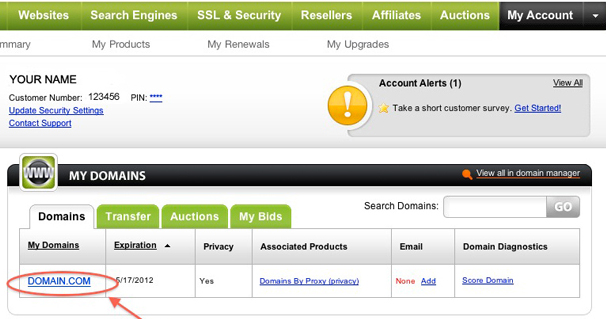
Log in to your GoDaddy account and click on the domain you want to modify the records.
-
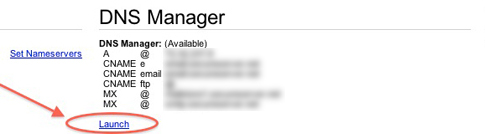
Launch the DNS Manager.
Back to top
Create a SPF record
-
Scroll down to TXT (Text) section.
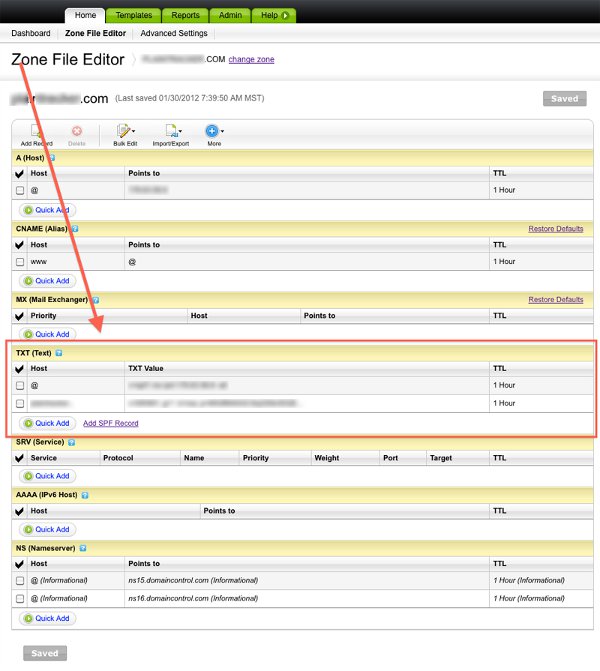
- Create a new TXT record by clicking the Quick add button
- Set the Host field to the name of your subdomain (e.g. "mail" if your email address is [email protected]), or to @ if you do not use a subdomain.
- Fill the TXT Value field with your SPF record (e.g. "v=spf1 a mx include:secureserver.net ~all").

- Click on the Save Zone File button at the top of the page.
Back to top