
Sending an email is only half the job. The real question is: where did your email actually land?
An email can be successfully delivered but still end up in the spam folder, promotions tab, or another place your subscribers rarely check. This is why inbox placement rate matters. It tells you how many of your delivered emails actually make it to the inbox instead of getting filtered elsewhere.
A strong email inbox placement rate means more of your messages have a chance to be seen, opened, and acted on. A poor rate can point to issues with your sender reputation, email content, authentication, or sending practices.
In this guide, we’ll explain what inbox placement rate means, how to calculate and check it, and what you can do to improve it.
What is Email Inbox Placement?
Email inbox placement is about where your email ends up after it reaches the recipient’s mail server. An email can be delivered successfully but still not appear in the main inbox. It might land in the spam or junk folder, or get sorted into tabs like Promotions or Social.
Think of it like sending a letter. Deliverability tells you that the letter reached the right building. Inbox placement tells you whether it reached the person’s mailbox or got left somewhere else. Mailbox providers such as Gmail, Outlook, and Yahoo use different filters and algorithms to decide where an email should go. They consider many signals, including your sender reputation, email authentication, content, engagement, and sending behavior.
Good inbox placement means more of your emails reach the main inbox, where recipients are more likely to notice and read them. Poor inbox placement means your emails may technically be delivered but remain unseen.
This is why marketers and email teams track inbox placement. It gives them a better idea of whether their emails are actually reaching the audience they are meant for, not just whether the messages were accepted by the recipient’s mail server.
How Is Inbox Placement Rate Measured?
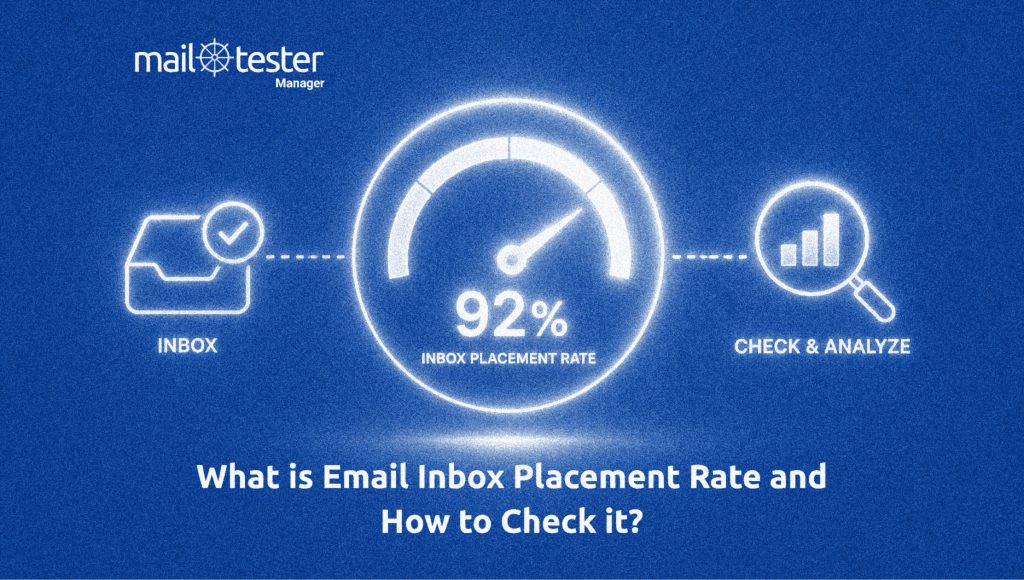
Inbox placement rate measures the percentage of your delivered emails that actually reach the recipient’s inbox instead of landing in spam, junk, or another filtered folder.
The basic formula is:
Inbox Placement Rate = (Emails that reached the inbox ÷ Total delivered emails) × 100
For example, if you send 10,000 emails and 9,500 are delivered, but only 8,550 reach the inbox, your inbox placement rate is:
(8,550 ÷ 9,500) × 100 = 90%
The remaining 950 emails may have gone to spam, junk, or another folder.
Inbox Placement Rate vs. Delivery Rate
These two metrics are related, but they measure different things.
- Delivery rate tells you how many emails were accepted by the recipient’s mail server. It does not tell you where those emails ended up afterward.
- Inbox placement rate goes one step further. It tells you how many of those delivered emails reached the inbox.
For example, if you send 10,000 emails and 9,800 are delivered, your delivery rate is 98%. But if only 8,820 of those emails reach the inbox, your inbox placement rate is 90%.
This difference matters because a high delivery rate does not always mean good visibility. Your emails can be successfully delivered while a large number still end up in spam or other folders.
How Does Inbox Placement Work?
When an email reaches a recipient’s mail server, the mailbox provider decides where it should go. Gmail, Outlook, Yahoo, and other providers use their own filtering systems to evaluate incoming emails. These systems look at different signals, such as sender reputation, authentication, email content, sending behavior, and how recipients have interacted with your emails before.
This means the same email may not have the same email inbox placement everywhere. For example, an email could reach the main inbox at Gmail but land in spam at Outlook. Each provider has its own rules, filters, and information about how users interact with emails.
The type of email can also affect where it lands. Transactional emails, such as password resets, order confirmations, and shipping updates, are often expected by recipients. Marketing emails, such as newsletters and promotional offers, may be sorted into tabs like Promotions or Updates. However, landing in these tabs does not mean the email failed to reach the inbox. They are different from spam or junk folders.
Recipients also play a role in inbox placement. Opening, replying to, deleting, moving, or marking emails as spam can provide signals that influence future filtering decisions. This is why sending relevant emails to an engaged audience is important for maintaining good placement.
How to Check the Email Placement Rate
Knowing your inbox placement rate requires more than checking whether an email was delivered. You need to see where your emails actually land after delivery. The most common way to do this is through inbox placement testing.
Step 1: Send a Test Email to Different Mailbox Providers
Start by sending the email you want to test to a group of test addresses across providers such as Gmail, Outlook, and Yahoo. These test addresses are often called seed addresses. Using multiple providers gives you a broader view of your email placement. Instead of testing only one mailbox, you can see whether your message reaches the inbox, spam folder, or another location across different email services.
Step 2: Review the Placement Results
After sending the test, check where the message landed at each provider. For example, if your email reaches the inbox at 90 out of 100 test addresses, your inbox placement rate for that test is 90%.
You can also compare the results between providers. A noticeably lower placement rate at one provider can help you identify where further investigation may be needed. Remember that a test gives you a snapshot rather than a permanent score. Your placement can change as your sender reputation, sending behavior, content, and recipient engagement change.
Optional But Recommended Step: Test Your Email With Mail-Tester
Mail-Tester can help you check the technical and spam-related factors that affect email deliverability. Simply send your email to the unique test address provided by Mail-Tester, and it analyzes the message, sending server, and sending IP. It then provides a detailed report showing issues with areas such as SPF, DKIM, DMARC, spam filtering, blocklists, links, and images.
This makes Mail-Tester useful for finding problems that may affect how your emails are treated by receiving mail servers. However, its score should be viewed as one part of your overall email health check. Mailbox providers use their own filtering systems and recipient-specific signals, so a good test result does not guarantee that every email will reach the primary inbox.
For a clearer picture of your inbox placement rate, combine these tests with ongoing monitoring of bounce rates, spam complaints, engagement, sender reputation, and authentication.
How to Improve Your Inbox Placement Rate
A good inbox placement rate does not happen by accident. It depends on how you collect email addresses, how you send emails, how people interact with them, and how well you protect your sending reputation. Here are five practical ways to improve your inbox placement rate.
Keep Your Email List Clean
A healthy email list is one of the foundations of good inbox placement. Sending emails to invalid, inactive, or unwanted addresses can lead to hard bounces, spam complaints, and poor engagement.
- Start by growing your list organically
- Avoid buying email lists or adding people who never agreed to receive your emails.
- Use clear signup forms and consider double opt-in to confirm that subscribers actually want your emails.
- Remove addresses that repeatedly bounce or have been inactive for a long time.
A smaller list of people who want your emails is usually more valuable than a huge list filled with inactive contacts.
Set Up Email Authentication
Mailbox providers need to know that your emails really come from you. This is where email authentication helps.
Set up SPF, DKIM, and DMARC for your sending domains. These protocols help mailbox providers verify your identity and protect your domain from unauthorized use. You can also consider BIMI to add another layer of brand visibility and trust. While BIMI is not an authentication protocol itself, it works alongside email authentication and can help display your brand logo in supported inboxes.
Keep Your Sending Patterns Consistent
Mailbox providers do not only look at individual emails. They can also see patterns in your sending behavior. For example, suddenly going from sending 5,000 emails a week to 100,000 can look very different from gradually increasing your volume. Large, unexpected changes in sending volume can make your traffic look unusual, especially if your domain is not used to that level of activity.
So, try to maintain a predictable sending pattern when possible. If you need to increase your email volume, do it gradually rather than making a huge jump overnight. This is especially important when launching a new domain, IP address, or email program. Give mailbox providers time to see your normal sending behavior and build confidence in your traffic.
Separate Different Types of Email Traffic
Your marketing emails and transactional emails may come from the same company, but they serve very different purposes. A password reset email, order confirmation, or account notification is usually expected by the recipient. A promotional newsletter is a different story. If marketing emails start generating high complaint rates or poor engagement, you don’t want those problems affecting every type of email you send.
Where possible, separate different types of email traffic by using dedicated subdomains or appropriate sending infrastructure. For example, you could use one subdomain for marketing emails and another for transactional messages.
This makes it easier to monitor each stream and identify problems before they spread across your entire email program. It also gives you a clearer picture of what may be affecting your inbox placement rate.
Keep Spam Complaints Low
Spam complaints are a serious warning sign for mailbox providers. If many recipients mark your emails as spam, it suggests that your messages are unwanted. The best way to avoid complaints is simple: email people who have given you permission to contact them and make it easy for them to unsubscribe.
Don’t try to keep uninterested subscribers at all costs. If someone no longer wants your emails, letting them leave is better than having them mark your messages as spam. Also pay attention to sudden changes in complaint or unsubscribe rates. They can indicate that your content, frequency, or targeting needs attention.
Getting Delivered Isn’t Enough
An email can pass every basic delivery check and still fail to reach the person you sent it to. That is what makes inbox placement worth paying attention to. A 99% delivery rate may look great on a report, but it does not tell you how many of those emails actually made it to a place where recipients could see them.
That is why inbox placement should be treated as an ongoing part of your email strategy, not a metric you check only when open rates suddenly drop. If your placement starts falling, it can be an early sign that something in your sending practices, reputation, authentication, or audience engagement needs attention.
The goal is not simply to get past the mail server. The goal is to earn a place in the inbox.
Frequently Asked Questions
Yes. Emails that reach the inbox are more likely to be seen and acted on. Better visibility can lead to more opens, clicks, and conversions. If fewer people see your emails, even a strong campaign may bring weaker results.
Yes. A new domain has little sending history, so mailbox providers have less information about it. Building a good reputation takes time and consistent sending. Starting with smaller volumes and engaged recipients can help establish trust.
There is no fixed rule for everyone. Check it regularly, especially after changing your sending volume, domain, email platform, or campaign strategy. It is also worth testing when you notice a sudden drop in opens or other engagement metrics.
Yes. Suspicious or broken links can make an email look less trustworthy. Always check that your links work and lead to legitimate pages. Avoid using links that look misleading or redirect recipients through unfamiliar domains.
It can help engagement, but it is not a guaranteed fix. Subject lines should clearly match the email and avoid misleading recipients. If placement is poor, look at your overall sending practices instead of relying on a new subject line alone.