
Have you ever received an email delivery failure notice for a message you never sent? Or got a flood of replies from people saying you emailed them? You might be dealing with email backscatter.
This happens when someone uses a fake sender address to send emails. When those emails fail to reach their recipients, other mail servers send bounce notices to the fake sender address. If the attacker uses your email address or domain, you receive these unwanted messages even though you never sent the original email.
Backscatter email is more than just an inbox problem. It can confuse users, make your domain look suspicious, and hurt your email reputation if your own systems are generating these messages. You can reduce email backscatter by configuring email authentication correctly and adjusting how your mail servers handle failed messages.
So, let’s look at what it is, why it happens, and how you can stop it.
What is Email Backscatter?
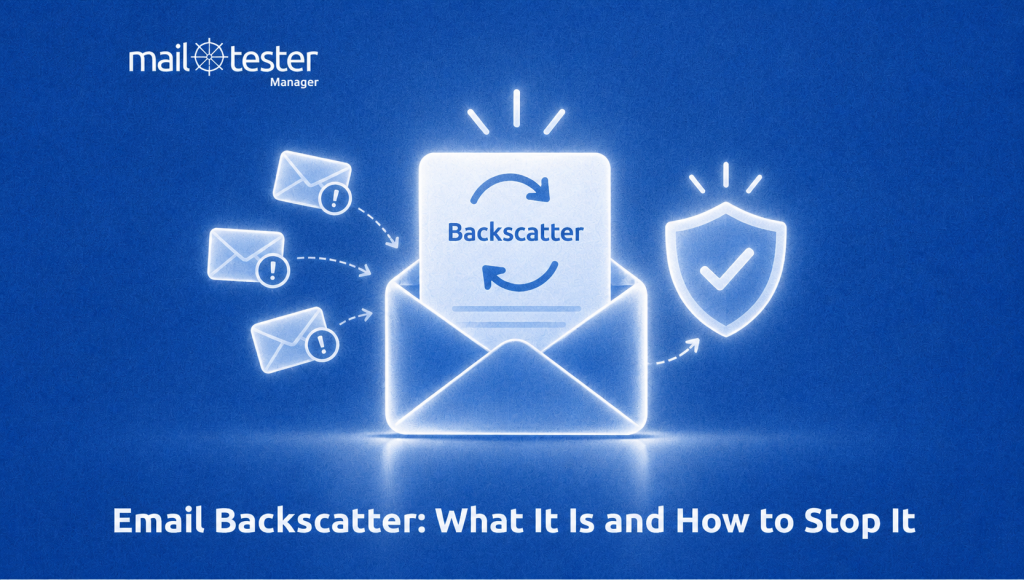
Email backscatter is when bounce messages or automatic replies reach an email address that someone has used as a fake sender address. It is also called blowback or misdirected bounce mail.
To make it work, an attacker sends an email using a spoofed sender address, which may appear to be from your domain. The receiving mail server accepts the message but later fails to deliver it. It then sends a non-delivery report (NDR) to the address it thinks sent the original email. Since the sender address was fake, the bounce reaches someone who had nothing to do with the message.
For example, imagine someone sends a phishing email using [email protected] as the sender. The receiving server later finds that the recipient address does not exist. It creates a delivery failure notice and sends it to [email protected]. Your administrator receives the notice even though they never sent the phishing email.
Backscatter mail can arrive in different forms, including:
- Non-delivery reports: Messages explaining why an email could not reach its intended recipient.
- Mail rejection notices: Automatic messages saying that a receiving server refused an email.
- Out-of-office replies: Automatic responses triggered by an email sent using a fake address.
- Challenge messages: Automatic requests asking the supposed sender to confirm their identity before an email can be delivered.
These messages can look real because they often come from genuine mail servers. Some may even include a copy of the original email, making it look as if your account sent harmful or unwanted content.
However, receiving backscatter does not always mean someone has hacked your mailbox. An attacker may have copied your sender address without getting access to your account. Checking your mail logs and authentication reports can help you find out what actually happened.
Why Does Email Backscatter Happen?
Email backscatter often occurs when a mail server accepts a message and later sends an error notice, even though it should have rejected the message earlier. The problem can come from an outside attacker or a mistake in your own email setup. Here are the common reasons for it to happen in the first place:
Sender Address Spoofing
Attackers change the sender details in an email to make it look like the message came from a trusted person or company. They may fake the visible From address, the SMTP envelope sender, or both. When the receiving server cannot deliver the message, it may send a bounce notice to the fake return address.
For example, an attacker might use your company domain to send thousands of phishing emails. If some of these emails fail to reach their recipients, the bounce notices may end up in your employees’ inboxes. Your team then has to deal with messages it never sent.
Incorrect Mail Server Configuration
Your own mail server can also create backscatter if it accepts emails for invalid recipients and rejects them only after trying to deliver them.
Imagine a server that accepts an email addressed to a user who does not exist. Instead of rejecting the email during the initial SMTP conversation, it puts the message in a queue. When delivery eventually fails, the server creates a bounce notice and sends it to the original envelope sender. If that sender address was fake, the bounce goes to someone who never sent the original email.
Uncontrolled Automatic Replies
Automatic replies can also cause backscatter. Out-of-office messages, contact forms, and email challenge systems may respond to incoming messages without checking whether the sender address is trustworthy.
Attackers can take advantage of this by sending emails with fake sender addresses. Every automatic response may then reach someone who never sent the original message.
For example, a poorly configured contact form might send a confirmation email to any address a visitor enters. If an attacker enters someone else’s email address, that person receives an unexpected message. Similar problems can happen when mail systems send automatic replies to fake senders.
Why is Email Backscatter a Problem?
Email backscatter may look like a minor inbox issue at first, but it can cause bigger problems when the volume gets out of hand. It can affect your domain reputation, create email delivery issues, and put extra pressure on your mail servers. Here’s how:
Damage to Domain Reputation
A sudden spike in backscatter can raise questions about your domain’s reputation, especially if attackers are using it to send spoofed emails. Mailbox providers look at several things when deciding whether to trust a domain, including email authentication, sending patterns, and spam complaints.
Now, imagine an attacker uses your domain to send phishing emails to thousands of people. Some recipients may report these emails as spam because they see your address in the sender details. Even though you never sent those emails, your domain could still be caught up in the investigation.
However, receiving backscatter does not automatically damage your domain reputation. If someone has simply forged your address, the bounce messages alone do not mean your domain has sent spam. The bigger concern is when your own mail servers are sending these unwanted messages, or there is other evidence of abusive email activity.
Blocklisting Risks
Backscatter can also create problems with email blocklists. If your mail server accepts unwanted emails and sends bounce messages later, some of those messages may reach spam traps or people who never asked to receive them. This can lead to spam complaints and, in some cases, put your sending IP at risk of being listed on a blocklist.
Once your sending IP is listed, some receiving mail servers may reject your emails or send them to spam. This means your regular business emails, customer updates, and marketing campaigns may struggle to reach their intended recipients.
But there’s an important difference here. Receiving backscatter does not automatically get your domain or IP blocklisted. The risk depends on where the messages come from and whether your own infrastructure is sending unwanted email.
Operational Disruption
Imagine opening your inbox to find hundreds of delivery failure notices for emails you never sent. Finding an important customer email in that mess won’t be easy.
That’s one of the biggest problems with backscatter. A large number of unwanted bounce messages can bury genuine emails and make it harder for employees to keep up with daily communication. Your IT and security teams may also have to spend hours investigating the issue. They’ll need to check email headers, review server logs, and look at authentication reports to figure out whether someone is spoofing your domain or has actually compromised an account.
These two situations need different responses. If your team treats every backscatter incident as a hacked account, it may waste time resetting passwords and investigating users who have done nothing wrong. Checking the source of the messages first helps you understand what happened and avoid unnecessary work.
Wasted Resources
Backscatter also puts an unnecessary load on your mail servers. Every unwanted message takes resources to receive, scan, filter, and store. When thousands of these messages arrive, they can use up bandwidth, storage space, and processing power that your email system needs for regular traffic.
The problem gets worse when your own mail server generates backscatter. It may spend time creating and sending bounce messages for emails that should have been rejected earlier. This creates extra work for your infrastructure without providing any real benefit.
Over time, high message volumes can increase maintenance costs and put pressure on your mail queues. In busy environments, this may even slow down the delivery of legitimate emails.
How to Tell If You’re Receiving Email Backscatter
The easiest way to investigate is to compare the bounce messages with your email logs. If your team never sent the original message and there is no record of it in your outbound logs, the message may be backscatter caused by sender spoofing.
Here are a few things to check.
Check Your Outbound Mail logs
Start by searching your mail server logs for the details mentioned in the bounce notice. Look for the original recipient, message ID, subject line, and sending time. If your email system uses queue IDs, check those too.
If you find a matching outbound message, investigate it further. It could be a legitimate email that failed to reach its recipient, or it could point to an account or application sending messages without permission.
If no matching message exists, the bounce may have come from an email sent by someone outside your organization using your address as the sender. Keep in mind that logs may have expired or be incomplete, so a missing entry alone is not enough to confirm backscatter.
Inspect the Email Headers
Email headers can tell you where a bounce message came from and how it reached your inbox. Check the sending server’s IP address, the Received headers, and the authentication results.
If the original email came from an unfamiliar server that is not part of your approved sending infrastructure, it could indicate that someone spoofed your domain. Also look for SPF, DKIM, and DMARC results. Failed authentication can support the suspicion of spoofing, but it is not conclusive on its own. Legitimate messages can fail authentication because of forwarding, configuration errors, or other delivery issues.
Review Your DMARC Reports
DMARC aggregate reports can help you identify sources sending emails that use your domain in the visible From address. They show sending IPs, message volumes, and SPF and DKIM authentication results.
If you notice a large number of messages coming from unfamiliar IP addresses that fail DMARC, someone may be using your domain without permission. However, DMARC reports do not show every type of sender forgery. For example, an attacker may forge the SMTP envelope sender while using a different visible From domain. Combine your DMARC data with bounce headers and mail server logs to get a clearer picture.
Look for These Signs in a Bounce Message
A backscatter message may contain details similar to these:
Subject: Undelivered Mail Returned to Sender
Final-Recipient: rfc822; [email protected]
Action: failed
Status: 5.1.1
Diagnostic-Code: smtp; 550 mailbox unavailable
These fields explain that a message could not be delivered to the listed recipient. However, they do not prove that the bounce is backscatter on their own. The real clues come from comparing the notice with your own records. If the original message has no matching outbound entry, the recipient is unfamiliar, and the source server is not one of your approved senders, investigate further before treating the notice as a normal delivery failure.
How to Stop Email Spoofing That Causes Backscatter
If your investigation shows that someone is using your domain to send spoofed emails, your priority should be to make that abuse harder to carry out. SPF, DKIM, and DMARC are the main tools that help protect your domain from email spoofing.
These protocols help receiving mail servers check whether an email is authorized to use your domain. When configured correctly, they make it easier for receiving servers to identify forged messages and apply your domain’s DMARC policy.
Set Up SPF and DKIM Correctly
SPF tells receiving servers which systems are allowed to send emails for the domain used in the SMTP envelope sender. Your SPF record should include all legitimate sending services and exclude sources you no longer use.
If you’re unsure how to create the record, EasyDMARC’s SPF Record Generator can help you build one based on your authorized sending sources. Check the generated record against your actual email setup before publishing it in DNS.
DKIM adds a digital signature to outgoing emails. Receiving servers check this signature to verify that it matches the signing domain and that the signed parts of the message have not been changed.
Keep DKIM signing enabled for legitimate email sources, including marketing platforms, ticketing tools, and business applications. EasyDMARC’s DKIM Record Generator can help you create the DNS record needed to publish your DKIM public key. You’ll still need to configure the corresponding private key with your sending service.
Neither SPF nor DKIM prevents every type of spoofing on its own. DMARC brings them together by checking whether at least one passing authentication method aligns with the domain in the visible From address.
Use DMARC To Protect Your Domain
DMARC tells receiving servers how to handle messages that fail DMARC authentication. It also allows domain owners to receive reports that show which sources are sending emails using their domain and whether those messages pass authentication checks.
If you haven’t identified all your legitimate sending services, start with a monitoring policy such as p=none. Review your reports to find unknown sending sources and authentication failures before moving to a stricter policy.
EasyDMARC’s DMARC Record Generator can help you create a DMARC record with the policy and reporting options you need.
Monitor DMARC Reports To Spot Spoofing Attempts
Publishing a DMARC record is only the first step. You also need to review the reports to understand who’s sending emails using your domain and whether those messages pass authentication.
EasyDMARC’s DMARC Report Analyzer helps turn aggregate report data into a more readable view of sending sources, authentication results, and potential spoofing activity. This makes it easier to investigate unfamiliar IP addresses and identify sources that repeatedly fail SPF, DKIM, or DMARC.
So, if reports show a sudden increase in messages from unknown IP addresses that fail DMARC, you may be seeing an attempt to spoof your domain. Compare those findings with your mail server logs and the headers of the backscatter messages to understand what is happening.
Keep Your Email Infrastructure Trustworthy
To stop email backscatter, you first need to find out where the unwanted messages are coming from. Check your mail logs and make sure SPF, DKIM, and DMARC are set up correctly. You can also use Mail-Tester to check your email authentication and spot issues that may affect delivery. Its results can help you find gaps in your setup and make changes so your legitimate emails are more likely to reach the inbox.
Frequently Asked Questions
Yes. If a shared mail server sends backscatter, its IP could get complaints or end up on a blocklist. This may also affect other customers using the same server.
No. A normal bounce tells you that an email you sent could not be delivered. Backscatter happens when bounce messages reach someone whose address was used as a fake sender.
Yes. Some mail servers may ignore DMARC policies or still send bounce messages to forged addresses. DMARC protects your visible From domain, but it cannot stop every type of spoofing.
No. Most of these messages are automatic, so replying usually won’t help. Check the email headers and your mail logs first to find out where the messages came from.